 TradingAlpha
 You need Screener access and a signed-in account. Start with a broad scan so it is easy to see what each filter changes.
Choose a market and timeframe
Open Screener. Select Equities, Crypto, or FX, then choose a timeframe. Daily is a useful starting point for learning the interface. Each market offers its own supported timeframes.
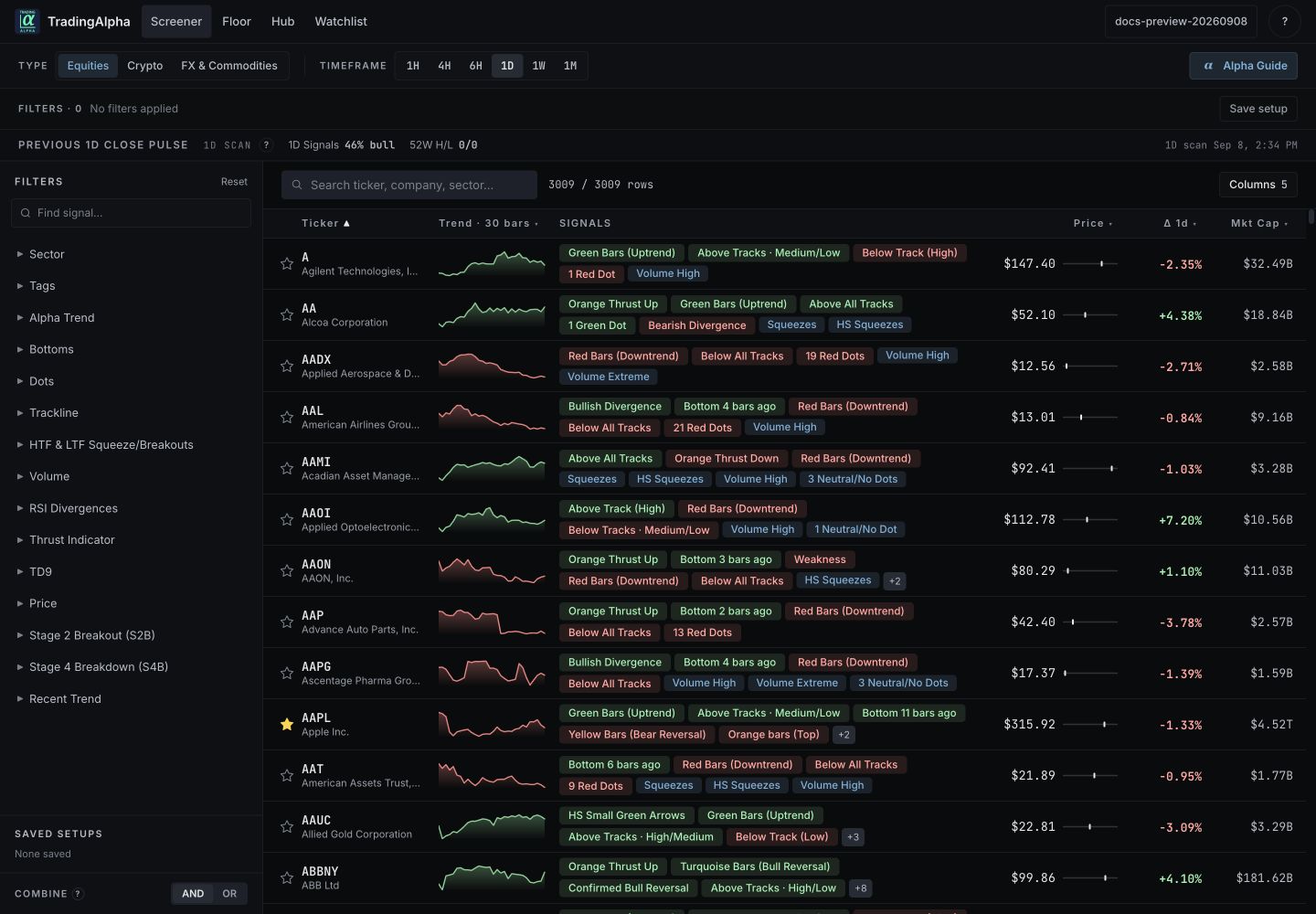
The current member Screener. Quotes and results change as data refreshes.
Add a setup
Use the filter sidebar on desktop, or open Filters on mobile. Expand Alpha Trend and select Green Bars (Uptrend). Results refresh as the selection changes. Review the active conditions and AND / OR combine mode before adding more.
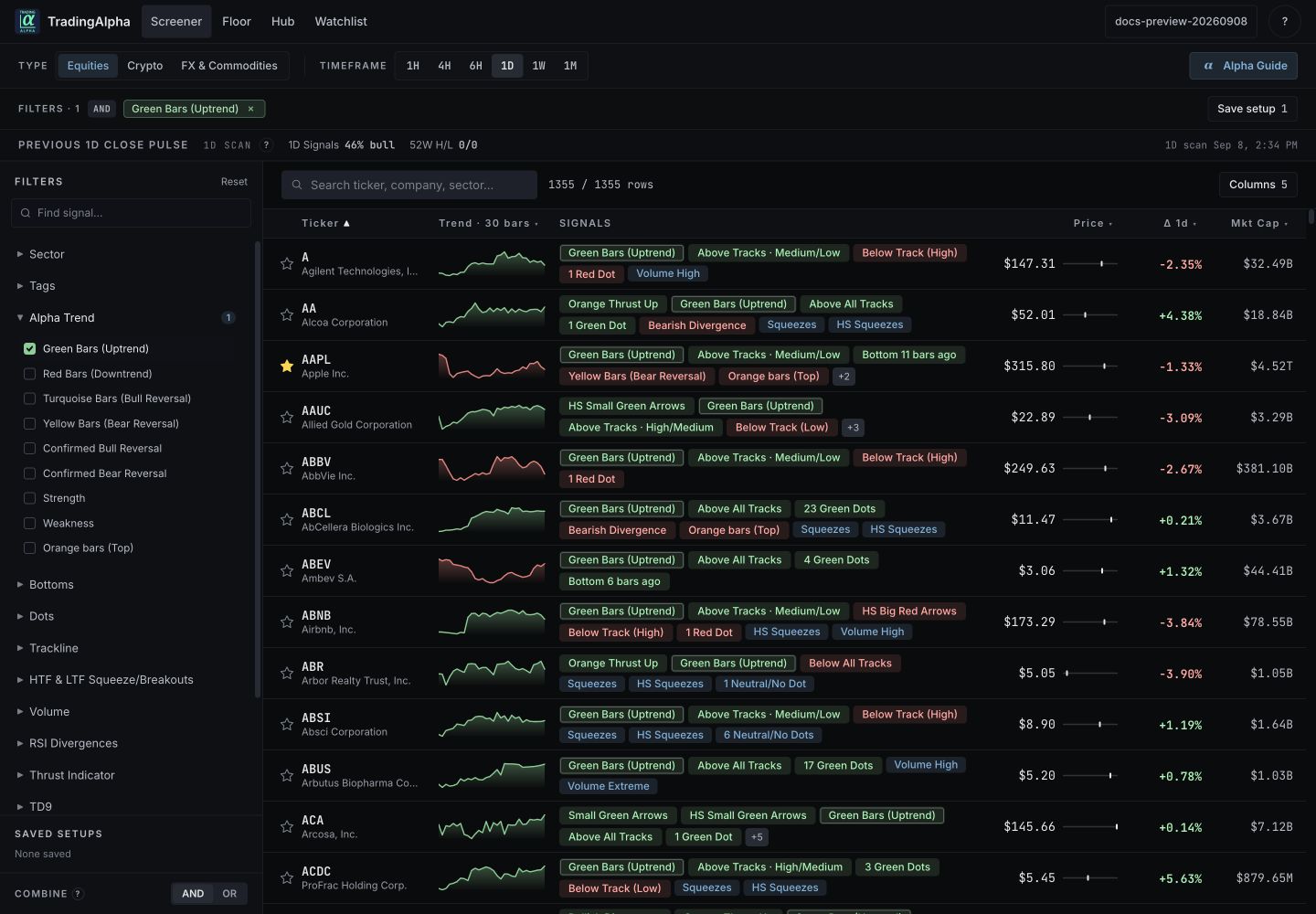
Start with one condition, then add confirmation deliberately.
Green Bars describes an existing uptrend. It does not mean the trend began on the latest candle. For how scan conditions work, see filters and confirmation.
Inspect the results
Read the asset, timeframe, price, change, and signal chips together. Use the row's detail or chart control for context and its TradingView link to inspect the setup on TradingView. Compare the same instrument, exchange, and timeframe.
Add a name to your watchlist with its star. You can then revisit it without rebuilding the scan.
Save and revisit
Give a reusable filter combination a descriptive name in Save setup. For example, “Daily uptrends” is easier to understand later than “Scan 1”. Saved setups retain filters; they do not freeze today's matching tickers.
If nothing matches, remove the last condition you added and check the selected market and timeframe. No matches is a valid result, not necessarily a data problem.