 TradingAlpha
 Add a ticker
Select the star beside a screener result, or open Watchlist and choose Add tickers. Search for the instrument and check its market before adding it.
To add several names, use the Tickers to add field. Review any unmatched tickers reported by the import. A ticker with the wrong exchange notation or pair format may need to be found through search instead.
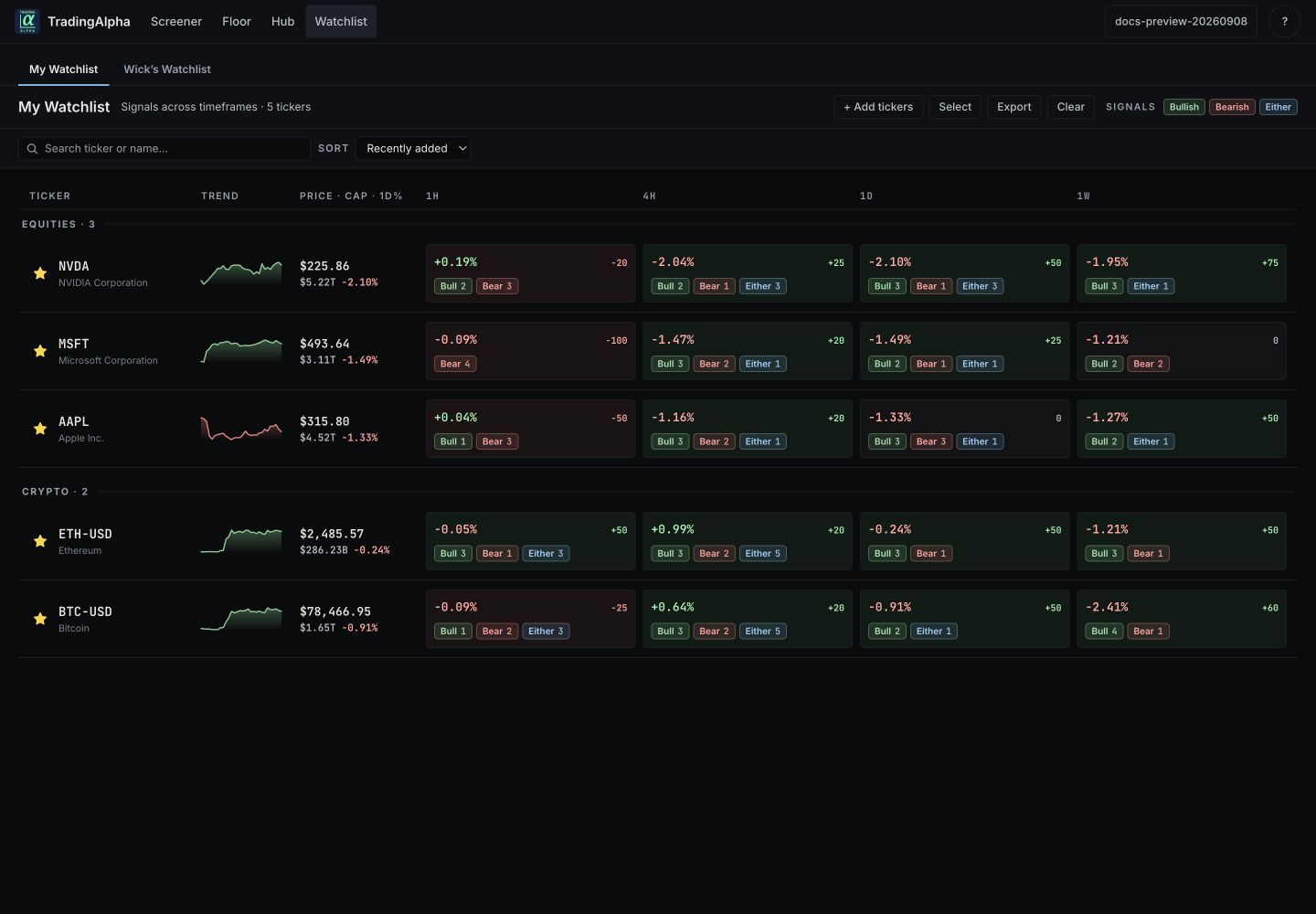
This is the guide account's sample watchlist, not another member's holdings.
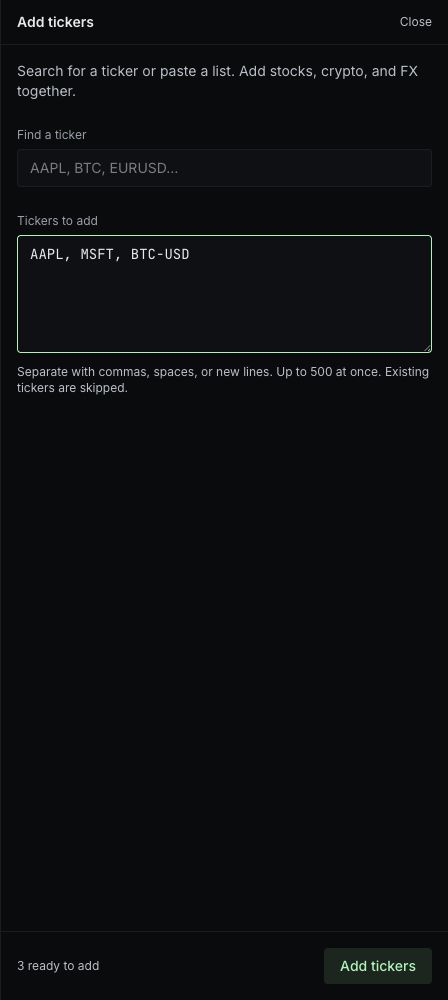
Paste a comma-, space-, or line-separated list. Check the ready-to-add count before selecting Add tickers.
Compare the same name across timeframes
The watchlist presents available readings across timeframes, including 1h, 4h, 1d, and 1w. A daily uptrend can coexist with short-term weakness. Open the relevant reading instead of treating every timeframe as one combined signal.
Choose a sort such as recent additions, change, signal score, or market cap. For timeframe-dependent sorts, check the selected timeframe so you know what is being compared.
Keep your list useful
Use the star or remove control to remove a name from your personal list. This does not trade the asset or alter an indicator subscription. A saved ticker with missing scan data can remain on the list while its readings are unavailable.
Market Pulse's watchlist card is a summary. It highlights large absolute daily moves, including declines, rather than showing your entire list.
Wick’s watchlist
The featured view contains only the selections Wick has published. It is not a copy of his entire personal watchlist. You can read published entries but cannot publish or edit them on his behalf. A removed featured entry may have been unpublished; that is not a sell instruction.