 TradingAlpha
 Open the guide
Use the Alpha Guide control on the Screener. Start with a suggested prompt, or describe the market, timeframe, and setup you are trying to understand.
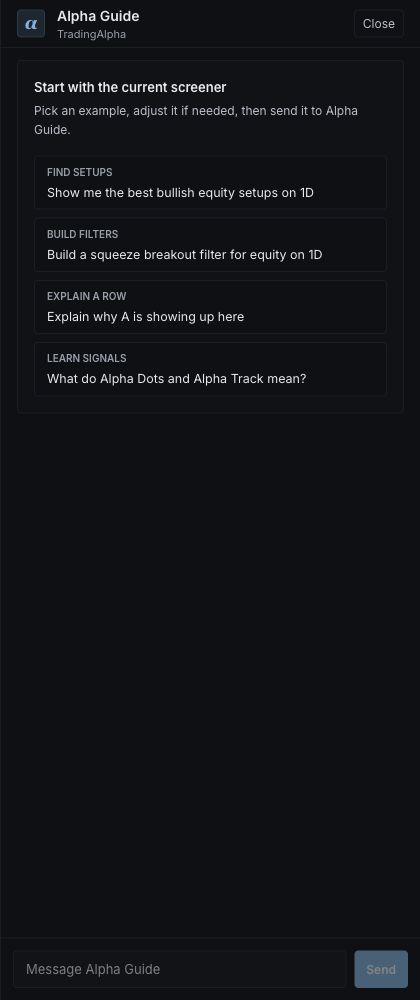
Choose a suggested question or write your own in Message Alpha Guide, then select Send.
Useful questions include:
- “Help me find daily uptrends.”
- “Explain the difference between a reversal and a confirmed reversal.”
- “Why might this filter combination return no results?”
Review suggested actions
Alpha Guide can help describe a setup, explain a row, or suggest filters. Read the proposed conditions before applying an action. Confirm the resulting filter chips in the Screener; an answer in the conversation is not itself proof that the scan changed.
For a row-specific question, use the row context offered by the app. Mention the ticker and timeframe if you start from an empty conversation.
Check the result
The guide can make mistakes or be unavailable. Use the named signal reference and the actual chart to check important details. It does not replace your trade plan or execute trades.
If the guide is unavailable, use the filter panel directly or the page's Help & tips tour. All essential scanning controls work independently of the conversation.