 TradingAlpha
 Save a useful scan
- Choose your market, timeframe, and filters.
- Review the active filter summary.
- Select Save setup, enter a recognizable name, and save.
- Open the saved setup when you want to run those conditions again.
The setup belongs to your account. The working filter selection is also remembered in this browser; that is different from explicitly saving a named setup.
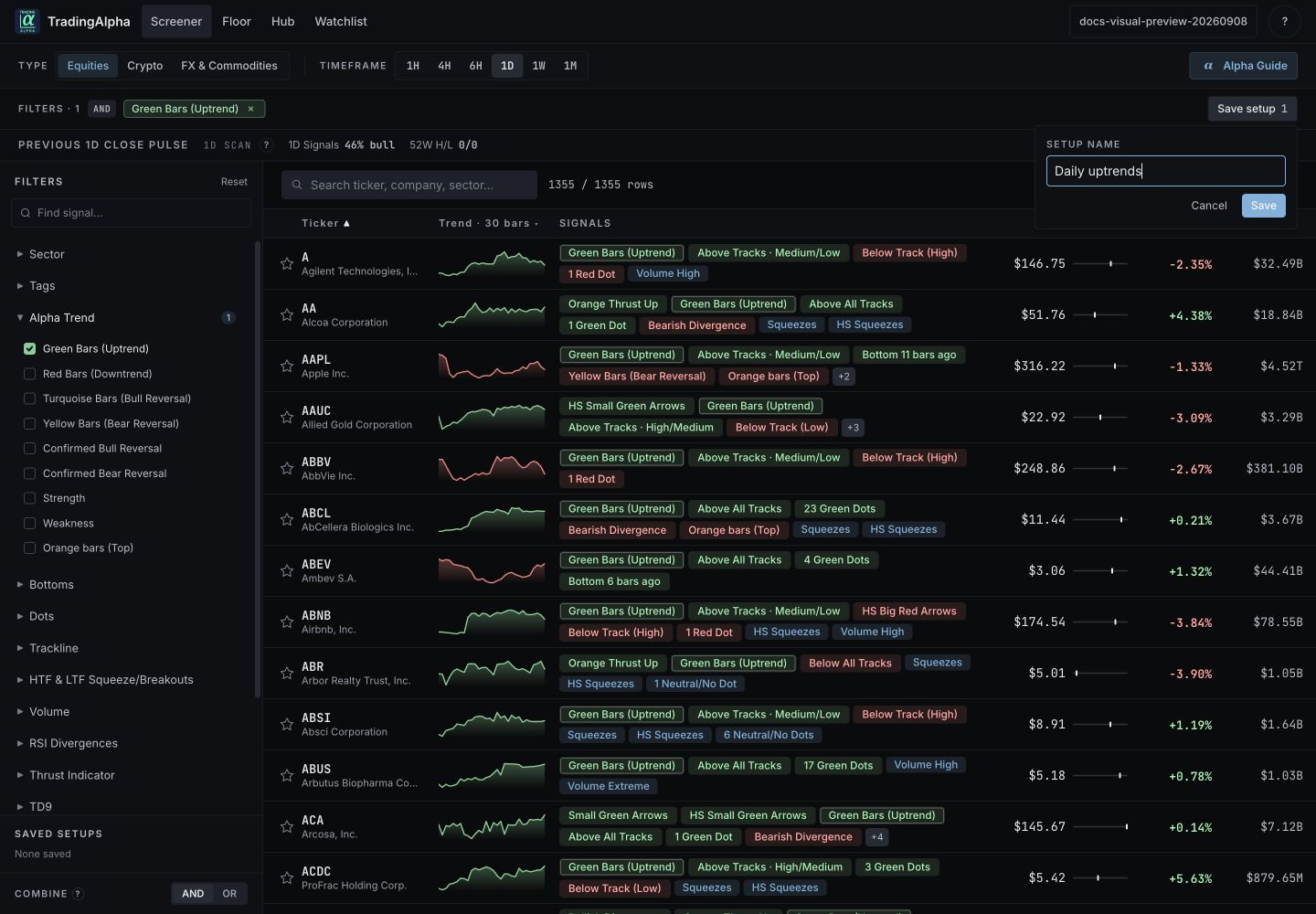
Select Save setup at the top right, enter a name, then select Save. The selected Green Bars condition is visible in the filter summary.
Understand what is saved
A setup saves the query, not the result rows. Tomorrow's results can differ as conditions change or data arrives. Save a ticker to your watchlist if you want to keep following that name regardless of whether it still matches.
New results
Where the saved setup offers a new-results view, use it to see matches since your previous review. The indicator tells you about matches for that saved setup, market, and timeframe. It is not an exchange-wide “new signal” count.
Use the review controls to acknowledge results you have seen. Switching between all results and new results should not require deleting and recreating the setup.
Recover a confusing scan
Reload the named setup and review its filter chips. Remove unintended filters before saving a revised version. Use a new name when you want to keep the original comparison. If your browser no longer remembers unsaved selections, reopen a saved setup.